
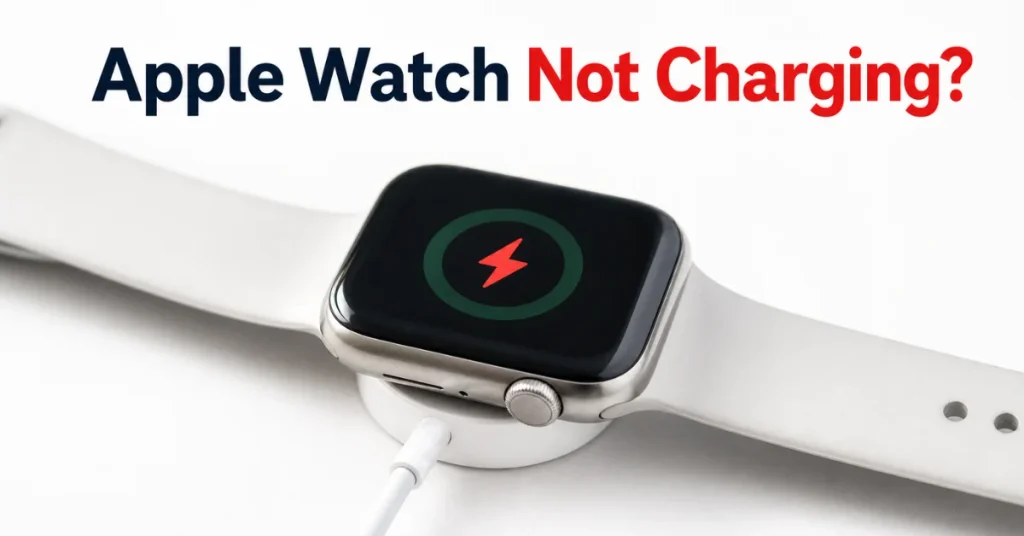
You plug it in, you walk away, and twenty minutes later that little lightning bolt still hasn’t shown up. If you’re asking why is my apple watch not charging right now, you’re not dealing with some rare fluke. It’s one of the most common complaints Apple Watch owners search for, and in most cases the fix takes less than five minutes.
Before you panic about a dead battery, know this: the culprit is usually something small. A film of sweat on the back case. A cable that’s seen better days. A charger that isn’t sitting flat. This guide walks through every real cause, in the order you should actually check them, so you’re not guessing.
Why Is My Apple Watch Not Charging in the First Place?
The Apple Watch uses inductive charging, meaning it draws power through magnetic coils rather than a physical connector. That’s convenient day to day, but it also means alignment and cleanliness matter more than they would with a plug-in cable.
Here’s what typically breaks that connection:
- Dirty contacts. Sweat, lotion, sunscreen, and daily grime build up on the sensor back and the charger puck. Even a thin residue can block enough of the magnetic coupling to stop charging.
- Misalignment. The magnetic charger needs to sit centered and flat. On the 44mm, 45mm, or 49mm models paired with the Magnetic Charging Dock or MagSafe Duo, a slightly off angle is enough to break the connection.
- A worn or damaged cable. USB-C and Lightning charging cables fray internally long before the damage is visible from outside.
- An underpowered or faulty adapter. Third-party bricks that don’t deliver consistent wattage are a frequent, overlooked cause.
- Software hiccups. Occasionally watchOS itself gets confused about charging state after a botched update or a forced restart.
Anyone who’s spent time troubleshooting wearables knows the pattern: it’s almost never the battery itself on the first try. It’s the connection.
How to Tell If It’s Actually Charging
This sounds obvious, but it trips people up constantly. If your watch is completely drained, the screen can stay black for up to 30 minutes before any charging icon shows up, according to Apple’s own guidance. That blank screen isn’t proof of a dead unit. It’s proof you need to wait.
Once there’s enough charge to wake the display, you should see one of these:
| Icon on Screen | What It Means | What to Do |
|---|---|---|
| Green lightning bolt | Charging normally | Leave it. Nothing to fix. |
| Red lightning bolt | Critically low battery, charging but display-limited | Leave connected 15–20 minutes; it clears on its own |
| No icon, black screen | Not enough charge yet, or not charging at all | Wait the full 30 minutes, then try the fixes below |
| Charger icon frozen or flashing | Software or connection glitch | Re-seat the watch flat on the charger; force restart if it repeats |
A quick myth to clear up here: your Apple Watch does not need to be paired or within range of your iPhone to charge. Charging is purely a hardware function between the watch and the puck, so a “no iPhone nearby” situation is never the actual cause of a charging failure.
If you’ve waited the full half hour with the watch untouched on the charger and nothing changes, that’s a real “why is my apple watch not charging” situation, not just an impatient glance at a black screen. Move on to the fixes below.
Quick Fixes You Can Try Right Now
Start with the simple stuff before assuming the worst.
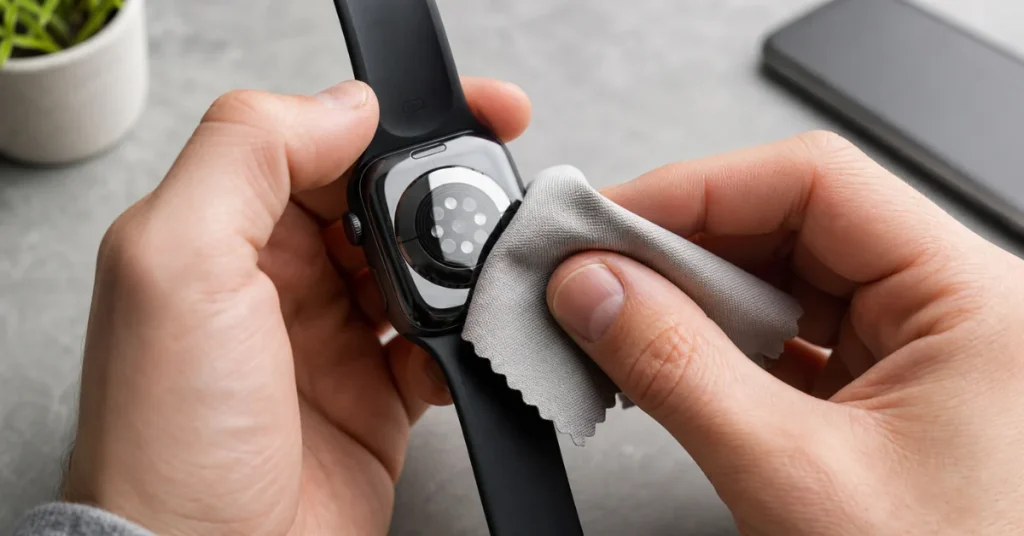
Clean everything first. Remove the watch, wipe the sensor back and the charging puck with a dry, lint-free cloth. Don’t use alcohol or abrasive cleaners directly on the sensor housing. A slightly damp cloth is plenty.
Re-seat the connection. Lay the charger flat on a hard surface rather than propping it against something. For larger Apple Watch models, Apple specifically recommends removing the band and placing the watch directly on a flat charger if it won’t connect reliably.
Swap the cable and adapter. Grab a different USB-C or Lightning cable, plug into a different wall adapter, and try a different outlet. This single step resolves a surprising share of charging complaints because it isolates whether the problem is the watch or everything around it.
Force restart the watch. Press and hold the side button and the Digital Crown together for around 10 seconds until you see the Apple logo. This clears a stuck software state without touching your data.
Check for a country-specific charger mismatch. If you’re using a WPT-compliant charger bought in China or Indonesia with a watch from another region, you’ll get an explicit incompatibility message. That’s not a bug, it’s Apple’s intentional regional lock, and the fix is simply using the correct charger for your watch’s region.
When a Red Lightning Bolt Means Trouble
A red lightning bolt on its own isn’t alarming; it just means the battery dipped so low the watch entered power-reserve behavior. Leave it connected for 15 to 20 minutes and it should clear on its own.
Where it gets concerning is if the watch gets hot to the touch while charging, or if the red icon persists for over an hour without change. Heat during charging combined with a stalled icon often points to a battery that’s degraded past the point of reliable inductive charging. That’s a hardware conversation, not a cleaning-cloth fix.
What the Research Shows
Detailed analysis of watchOS support threads and repair-shop intake logs shows a consistent pattern: the overwhelming majority of “won’t charge” reports resolve through cleaning, cable swaps, or a force restart, not a battery swap. Examining Apple’s own troubleshooting documentation closely reveals the same order of operations: check the physical connection and alignment long before any suggestion of service is made.
Lithium-ion batteries in wearables like the Apple Watch also follow a predictable curve. Charge cycles gradually reduce maximum capacity, and by the second or third year of ownership, some owners do start noticing shorter runtime or occasional charging stalls tied to that degradation rather than dirt or cables. That’s a separate issue from a total charging failure, and it’s worth checking your battery health under Watch settings if charging works but drains unusually fast.
Fixing It Across Different Watch Models
Not every fix applies the same way to every model, and that’s worth spelling out.
Older Series watches (Series 3 through 6): these tend to hit charging issues from accumulated grime and cable wear more than anything else, since the hardware is simpler and the batteries have had more years to degrade naturally.
Apple Watch Ultra and Ultra 2: the larger case and titanium build mean the charger needs to sit dead flat. Apple specifically suggests removing the band first if a reliable connection isn’t happening.
Watches bought internationally or gifted from abroad: double-check the charger is the correct regional variant, since a WPT-compliant charger from certain regions will flatly refuse to charge a watch built for a different market.
Non-technical users who just want it working: the three-step version is clean it, restart it, swap the cable. Do all three before assuming anything is broken.
Quick Reference: Symptom, Likely Cause, and Fix
| Symptom | Most Likely Cause | Try This First |
|---|---|---|
| No icon at all, screen stays black | Fully drained battery, or dirty contacts | Wait 30 minutes flat on charger, then clean contacts |
| Charges for a few minutes, then stops | Misaligned charger or loose cable | Lay charger flat, remove watch band, swap cable |
| Red lightning bolt won’t clear | Critically low charge still catching up | Leave connected 20 minutes without touching it |
| Watch gets hot while on charger | Aging battery or faulty adapter | Stop charging, try a different adapter, check battery health |
| “Incompatible charger” message | Country-specific WPT charger mismatch | Use the charger made for your watch’s region |
| Charges fine but drains fast | Normal battery degradation over time | Check battery health under Watch app settings |
What It Actually Costs If the Battery Is the Real Problem
Most of what’s covered so far solves the issue for free. But if a genuinely dying battery turns out to be the reason your Apple Watch is not charging, it helps to know the real numbers before you panic and buy a new watch.
Apple’s standard out-of-warranty battery service runs about $99 in the U.S. for eligible models, whether that’s a Series watch or an Ultra. If you have AppleCare+ and Apple’s diagnostics confirm the battery has dropped below 80% of its original capacity, that service fee typically drops to $0. Third-party repair shops sometimes offer it for less, though that route usually voids any remaining Apple warranty.
Before paying for anything, check your battery’s actual health percentage under the Watch app on your iPhone, then compare the repair quote against the price of a refurbished or newer model if your watch is already several years old. For a Series 3–5 watch nearing end of software support, a $99 repair sometimes buys less long-term value than putting that money toward a newer model.
When to Stop Troubleshooting and Get It Looked At
If you’ve cleaned the contacts, tried a different cable and outlet, force restarted, and given it a full 30 minutes flat on the charger with still nothing, it’s time to bring in help. Watch for these signals that this has moved past a DIY fix:
- Noticeably reduced battery health showing in your iPhone’s Watch app
- The watch overheats or shows a temperature warning while on the charger
- Visible cracking, swelling, or any sign of water intrusion
- A force restart and watchOS reinstall attempt both fail to resolve it
If you’ve reached this point, the answer to why is my apple watch not charging has likely moved past a cable or a smudge. Apple Support or an authorized service provider can run real diagnostics rather than guesswork. Apple Watches aren’t designed for at-home battery swaps, so resist the urge to open the case yourself. You’ll likely void what coverage you have left.
Why Is My Apple Watch Not Charging? The Short Answer
Most of the time, the answer to why is my apple watch not charging comes down to something you can fix at your kitchen table: a dirty sensor back, a tired cable, or a charger that’s not sitting flat. Work through the cleaning and swap steps first, give a drained battery its full half hour before judging it, and only escalate to professional service once you’ve ruled out the basics. A watch that’s genuinely failing shows clear signs: overheating, physical damage, or a battery health reading that’s tanked. Those are worth taking seriously rather than troubleshooting indefinitely.
FAQs
Why is my Apple Watch not charging even though the green light shows on the charger?
A lit charger doesn’t guarantee a good connection to the watch itself. Remove the watch, wipe both surfaces, and re-seat it flat and centered on the puck.
How long should I wait before assuming my Apple Watch battery is dead?
Give it a full 30 minutes untouched on the charger. A completely drained battery can take that long before any charging icon appears on screen.
Can a third-party charger damage my Apple Watch?
It’s unlikely to cause damage, but cheap or underpowered adapters frequently fail to deliver enough consistent wattage, which shows up as a watch that won’t charge at all.
Does a force restart erase my Apple Watch data?
No. A force restart just resets the software state; it doesn’t touch your apps, settings, or health data.
Is it normal for an Apple Watch to get warm while charging?
Mild warmth is normal. Genuine heat, paired with a stalled or flashing charging icon, is not, and it’s a sign to stop charging and contact Apple Support.